
Let it leave
your mind.
Put it down and let it go. TuckBack brings it back at the right moment — your words, one clear next step. Not a to-do list; a place to set things down.
English, Hindi, or Hinglish — type your own to try it.
Capture → hold → return → close. The loop, in one breath.

Your mind is full.
Not laziness — mental residue. The cost of re-remembering things you can't act on yet.
You don't need another list. You need somewhere to set it down.

Tuck it.
Type it, speak it, or scan a photo. No fields, no folders, no setup.
In your own words — English, Hindi, or Hinglish. No rigid syntax.

It comes back at the right time.
Your original words, who's involved, and one clear next step — not a menu of five.
Keep snoozing something? That's a signal to help, not a cue to nag.

Close it — or drop it, guilt-free.
Finishing is calm, not gamified. No confetti, no streaks.
Dropping something on purpose counts too. No red overdue, ever.
How it works
A quiet loop, closed on your terms.
Four steps, built to lighten the load — never a wall of red.
- 01
Tuck it
Type, speak, or scan it. No account, no categories, no setup.
- 02
It understands
Your words, who it involves, and when it should return — shown as an editable receipt first.
- 03
It returns
A local notification at the right moment, carrying your original context.
- 04
You close it
One clear next step to finish — or drop it, guilt-free. Either way, it's off your mind.
On your iPhone
The whole loop, in one calm app.
Four quiet tabs, no noise — and everything lives on your device.
- TodayWhat’s worth doing now.
- PeoplePromises, kept with a person.
- NestsGroup related Loops.
- SettingsYours, on this iPhone.
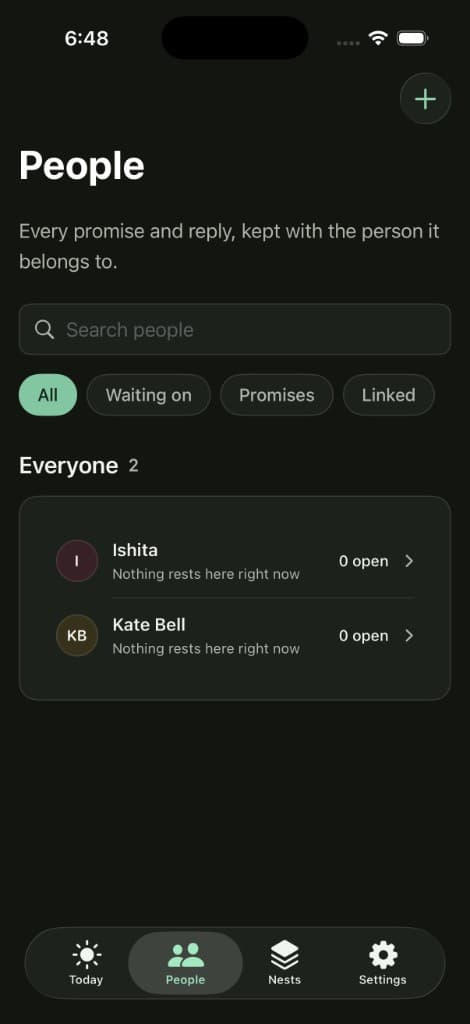
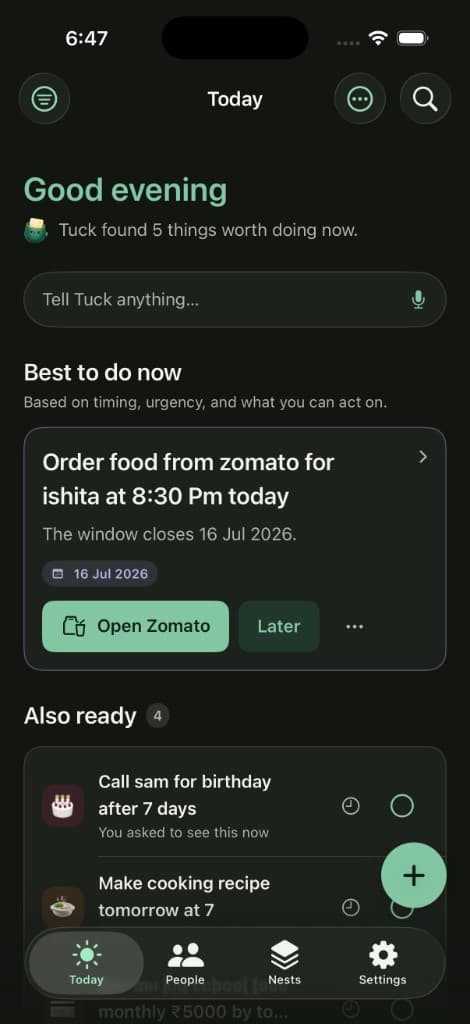
TuckBack in motion
A calmer relationship with everything you carry.
Capture a thought and let it go. TuckBack returns it in your words, at the right moment, with one clear step.
Get early access- On device— Your unfinished thoughts stay with you — private by default.
- Your words— English, Hindi, Hinglish. No rigid syntax to learn.
- One next step— When it returns, it carries context — not a wall of options.

Early access
Be first when TuckBack lands on iPhone.
In active development. One email the day it’s ready — nothing else.
- No spam, ever
- One email at launch
- iPhone first
What’s inside
Small, deliberate features. A calmer head.
Each one exists to make something disappear until it matters again.
Take action
One next step — and a way to act on it.
A Loop returns with a single concrete step and a plain reason. Draft help opens a real, editable composer for Mail, Messages, WhatsApp, or Share — never sent for you.

Return
It comes back the way you want it to.
Notifications carry your outcome and next action — never a generic 'reminder.' Act right from the notification; opening one never marks it done.
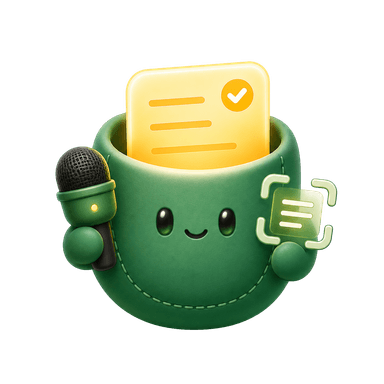
Speak it or scan it
Voice and photo text, processed on your iPhone. Audio and images are never kept.
Understands Hinglish
English, Hindi, and mixed phrasing as first-class input — no rigid syntax.
People-aware
Tie a Loop to a person — see everything open with them, and the best next step.
Nests
Group related Loops — a trip, a project, a shared context — outside the list.

Daily Return
A calm morning note on what deserves attention. On a light day, it says so.

Rescue Engine
Keeps getting snoozed? TuckBack steps in with help, not a louder reminder.

Adaptive learning
On-device personalization that learns what helps — inspectable, resettable, private.

Local search
Full-text and semantic search across your Loops, with filters that fit.
Privacy as architecture
Private because of how it’s built, not a policy page.
The complete core experience simply does not require an account, a server, or a network connection. That’s a structural property of the app — not a claim layered on top.

No account, no network
Capture, understanding, Return, People, Daily Return, Rescue, and search all work fully offline. This is the default, not a privacy mode.
Encrypted on your device
Loops, original captures, and learned patterns live in an on-device, encrypted-at-rest database.
Only what you give it
TuckBack never scrapes notifications, your screen, clipboard, or other apps. It reads only what you typed, spoke, or scanned in.
Permissions at the moment of use
Camera, Microphone, Photos, Contacts, and Calendar are each requested from a named button when you use that feature — never bundled into onboarding.
Cloud is off by default
Encrypted sync, the Daily Return email, and an AI 'second opinion' are optional, separately disclosed, and disabled until you turn them on.
Nothing acts on its own
TuckBack never sends, pays, books, or completes anything automatically. Every consequential action needs an explicit tap.
The whole idea
“I can safely let this leave my mind, because TuckBack will bring it back with the right context and help me finish it.”
No streaks. No shame. No red counters. Finishing is calm — and dropping something on purpose is a real outcome.
Questions